Related
Split by Area
All Reinsurance Years
A Split by Area tool is available from the Tools menu. This tool allows a user to specify how many acres to split from the edge of a field.
| 1. | Open the policy for the grower and select the Map tab. The Mapping window opens for the policyholder and zooms to a view of the fields associated with the policyholder. |
| 2. | Zoom to the location where you want to split a field and select the field. |
| 3. | From the Tools menu, select the “Split by Area” option. |
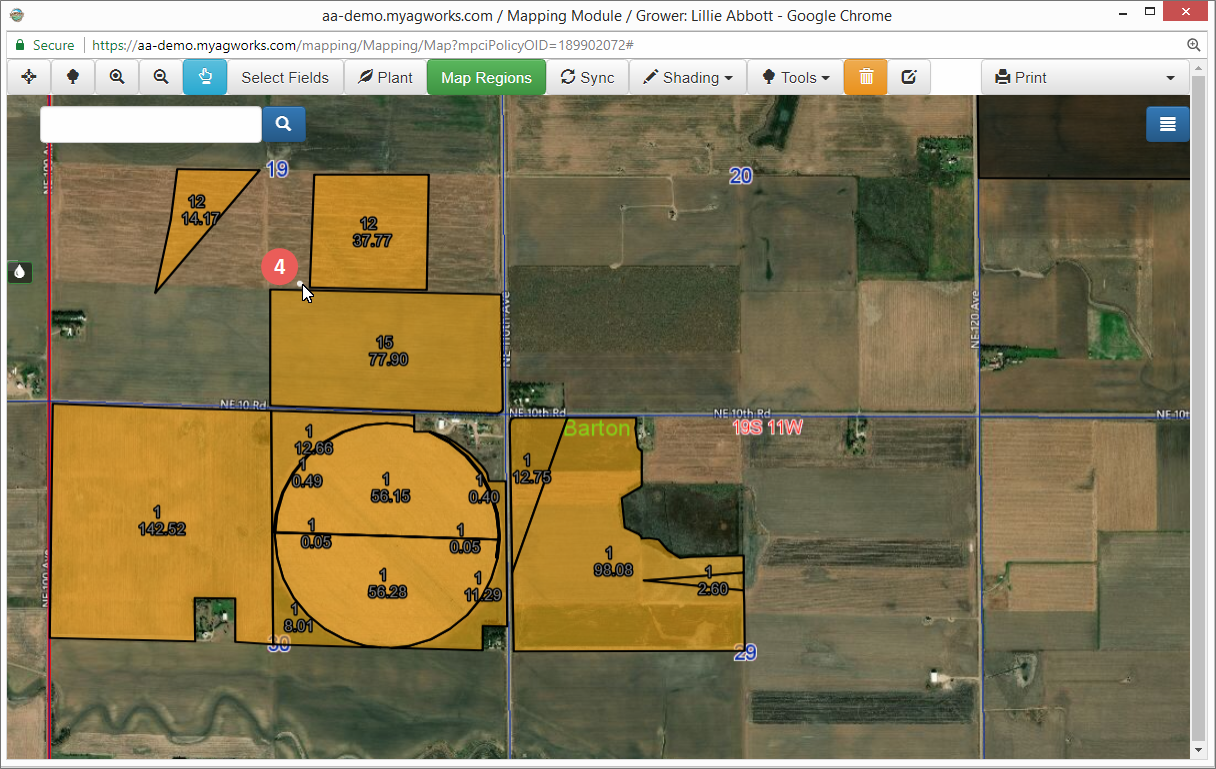
| 4. | Click once outside of the field you want to split. |
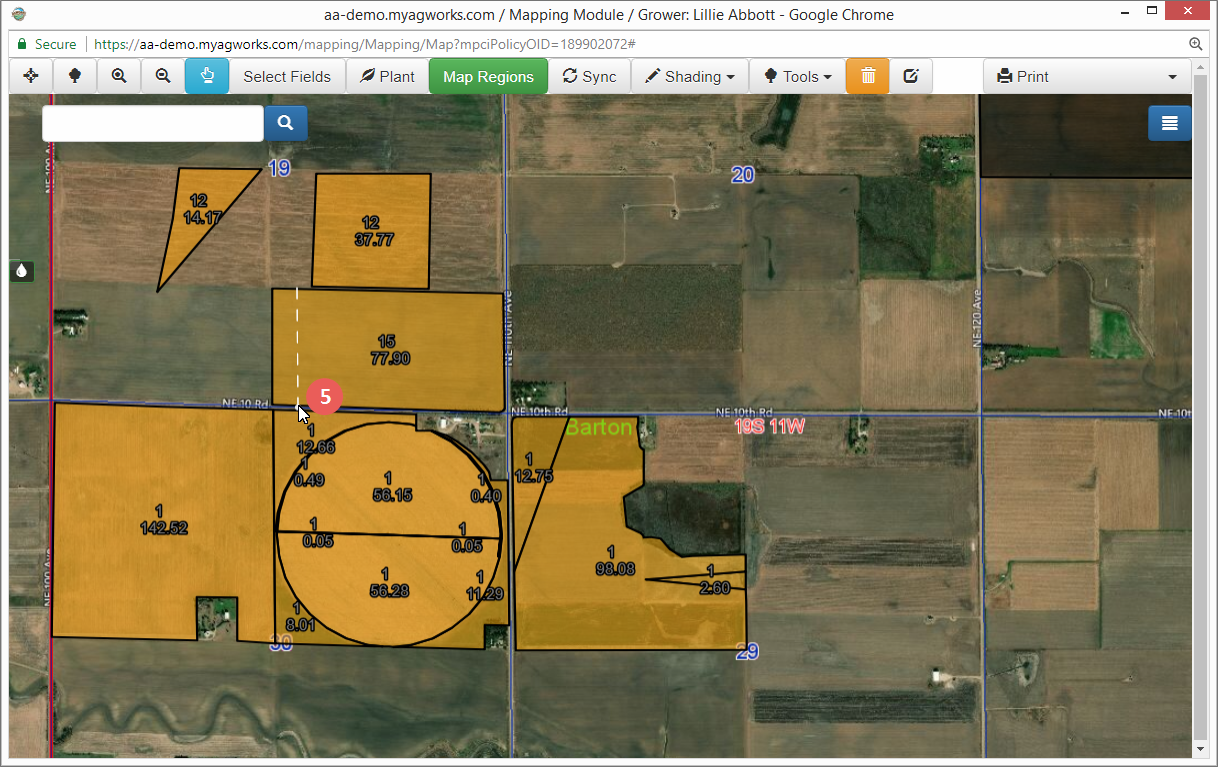
| 5. | Drag your mouse to the location opposite side of the field you are splitting. When splitting by area, the split will occur on the edge of the field opposite of your drawn splitting line. When you release the mouse button, a popup opens that ask you to choose whether to split to the Left/Right or Top/Bottom of the drawn line. |
| 6. | In the Split Settings popup, use the Splitting Acres to indicate the number of acres you want to split from the field. This will be the number of acres from the edge of the field (as selected in the next step) that you want to split from the original field. |
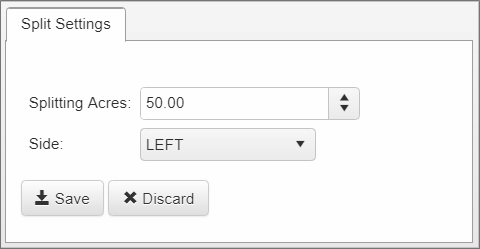
| 7. | From the Side dropdown, select "Upper" or "Lower" if you drew a horizontal line or "Left" or "Right" if you drew a vertical line. |
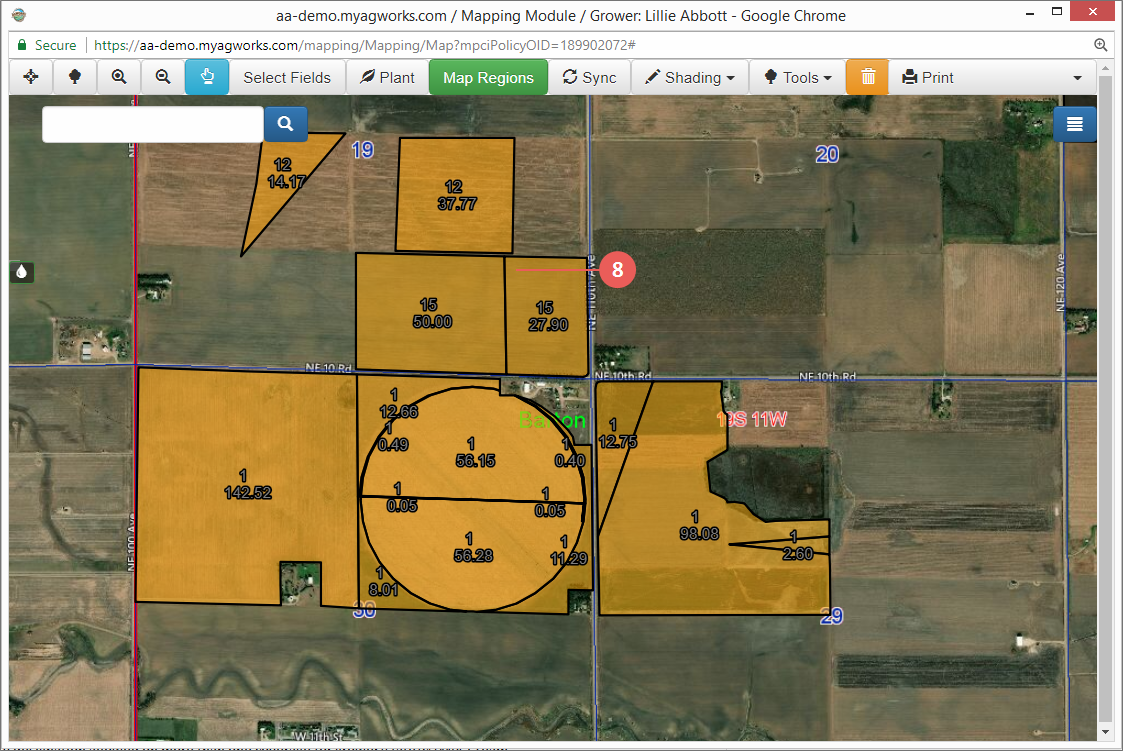
| 8. | Click Save to save your selections. The popup will close and the field is divided as specified. |